
We’ve been hosting websites from our own data centre in Oslo since 1999, and today our shared hosting comes in two forms, Website Hosting and WordPress Hosting. Our customers run everything from small company websites to enterprise e-commerce sites on this hosting.
Since 2025, both services have run on the same high-availability Proxmox cluster, a group of servers working as one system, so if a server goes offline for any reason, your site moves to another with little or no interruption. Cloudlinux, the operating system on our hosting servers, gives each account its own reserved share of processing power and memory, so a busy site belonging to another customer can’t slow yours down.
Every plan includes:
- Email on your own domain, with as many addresses as you need
- SSL certificates, installed and renewed automatically
- Imunify, offering strong protection against malware and malicious traffic
- Daily backups of your whole account
- Unmetered traffic, so you don’t pay more even when your site gets busy
- An easy-to-use control panel for your sites, email, and DNS
- Granular control over your DNS settings, so you can point parts of your domain at services hosted elsewhere
We’re independent and Norwegian-owned, so your data stays in Norway under Norwegian law, and if you need help, you can phone or email our support team here in Norway. The two services differ in what they add on top of that foundation.
Website Hosting: run your site your way
Website Hosting suits most kinds of website. You can upload a static HTML site, install a content management system such as Drupal, Joomla, or Kirby, or run a PHP application you’ve written yourself. Popular applications install in a few clicks from the control panel, and you can choose the PHP version for each site, which helps when an older site isn’t ready for the newest release.
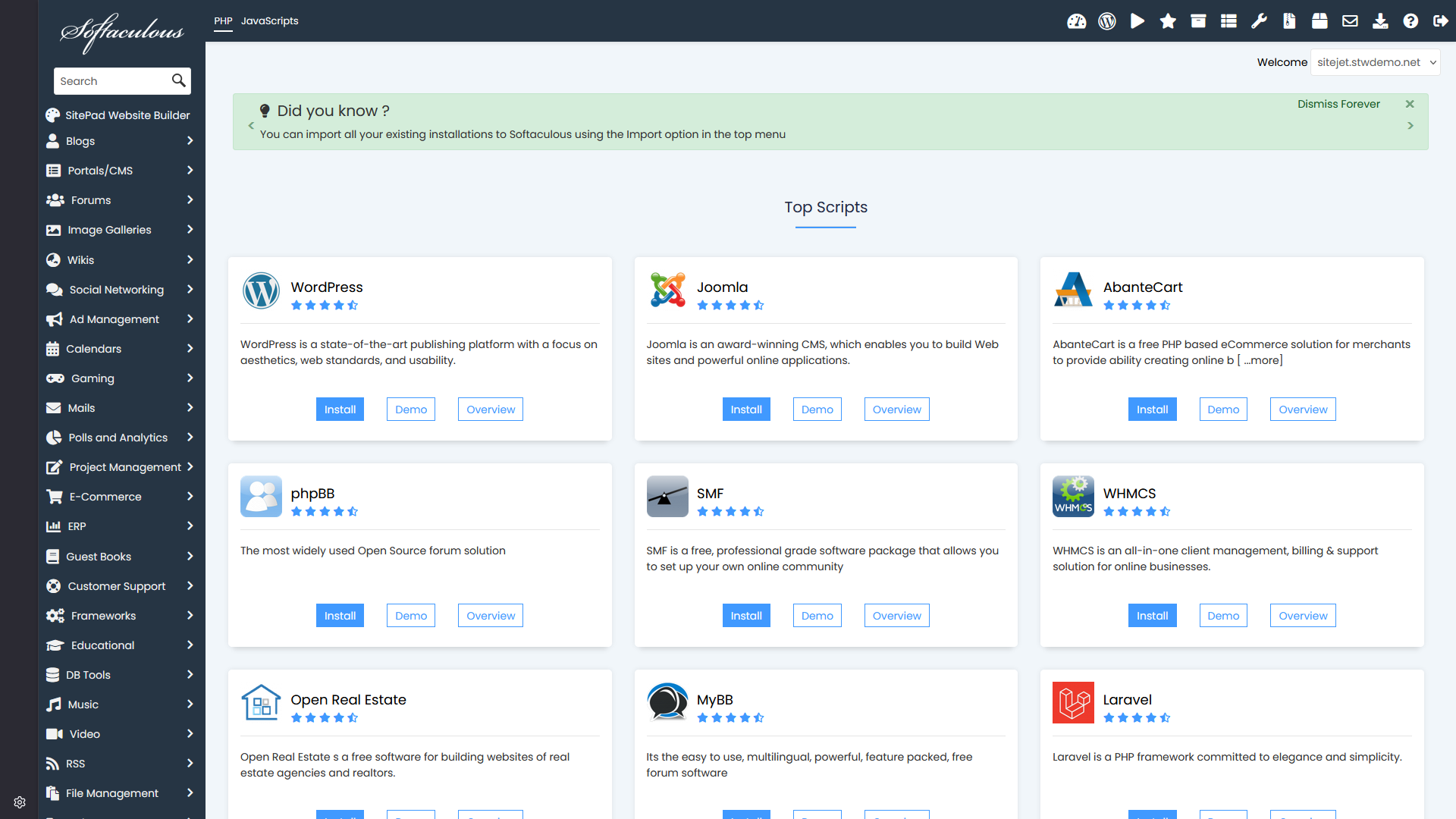
If you’d rather not deal with code or a CMS at all, the larger plans include Sitejet, an AI-assisted website builder that starts you off from a template and lets you edit the pages visually. Those plans also host more sites and add SSH, a secure command-line connection to your account, for working with tools like Git and Composer.
WordPress Hosting: faster and easier for WordPress
If WordPress is your platform, our WordPress Hosting is built to run it better. You can still run WordPress on Website Hosting, and our installation guide shows you how, but you won’t get any of the extras below. WordPress Hosting includes everything above, plus a layer built specifically to make WordPress faster and safer to run.
- Ready in one click. Add your domain in the control panel, choose WordPress, and it’s installed with its database and security hardening already in place.
- Caching switched on for you. Page caching stores finished pages, so visitors get them instantly without WordPress rebuilding them each time. Redis object caching keeps frequently used database results in memory, which speeds up pages that can’t be cached whole, such as a shopping basket.
- Faster servers. WordPress sites normally run on their dedicated server nodes with high-frequency AMD EPYC processors. Faster cores mean faster pages.
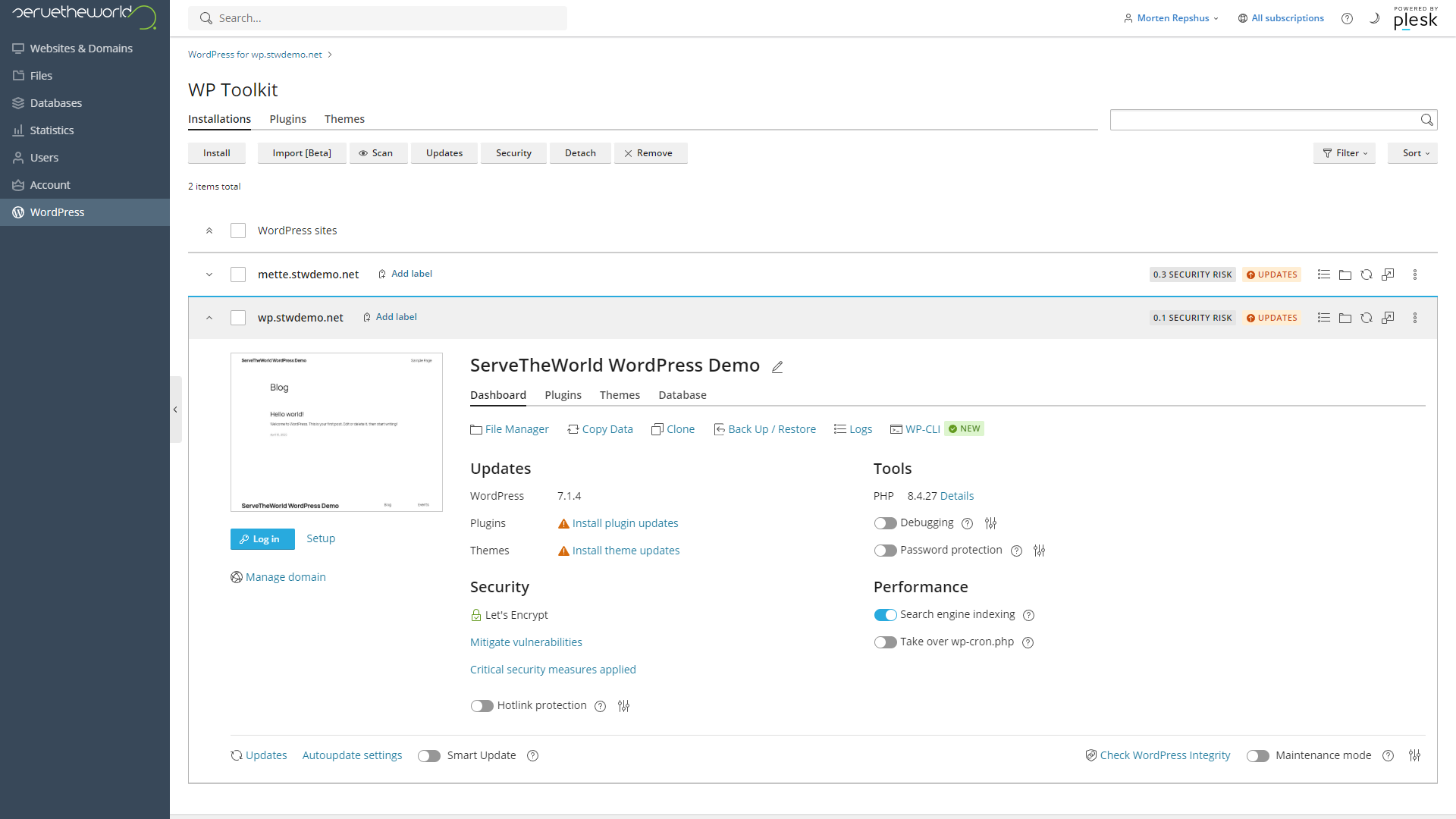
- All your WordPress sites in one place. WordPress Toolkit, a management tool built into the control panel (shown below), lets you update, secure, and manage every WordPress site in your account from one screen.
- Staging. You can make a private copy of your site to test a new theme, plugin, or redesign before your visitors see it.
- Safer updates. On our larger WordPress plans, Smart Update tests each update on a copy of your site and checks it for errors before anything changes on the live site.
- Free migration. If your site is hosted elsewhere, we’ll move it for you at no cost.
We explain how each of these works, and what’s still left to you, in 8 reasons to choose WordPress Hosting for your WordPress site.
Which should you choose?
If your site runs on WordPress, choose WordPress Hosting. Our larger plans host up to 15 WordPress sites, each with its own staging copy. For any other platform, or for a simple site built with Sitejet, choose Website Hosting. And if you need root access, custom server software, or more resources than shared hosting can offer, a VPS is the next step up. If you’re still unsure, please contact us and we’ll help you decide.
Richard Sutherland,
Technical writer, ServeTheWorld